

Why we built it
Most security plugins we were asked to clean up after had caused a second problem: a blocked checkout, a broken form, an owner locked out of their own login. Stillward Security follows one rule, printed at the top of its own screen: protect, don't disturb. Protections that cannot break a site are on from the start. Anything that could change how the site behaves waits for you.
What it looks like

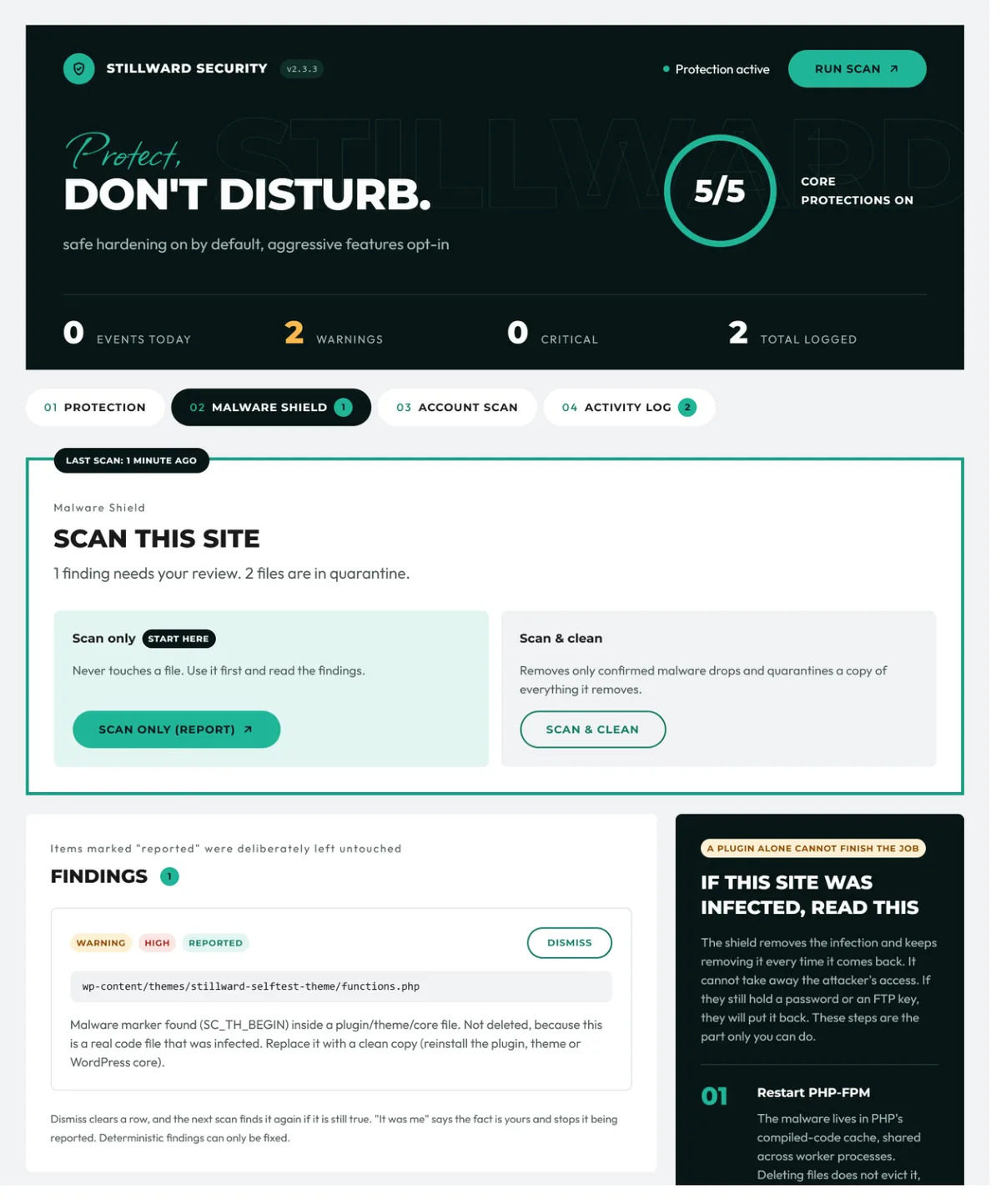

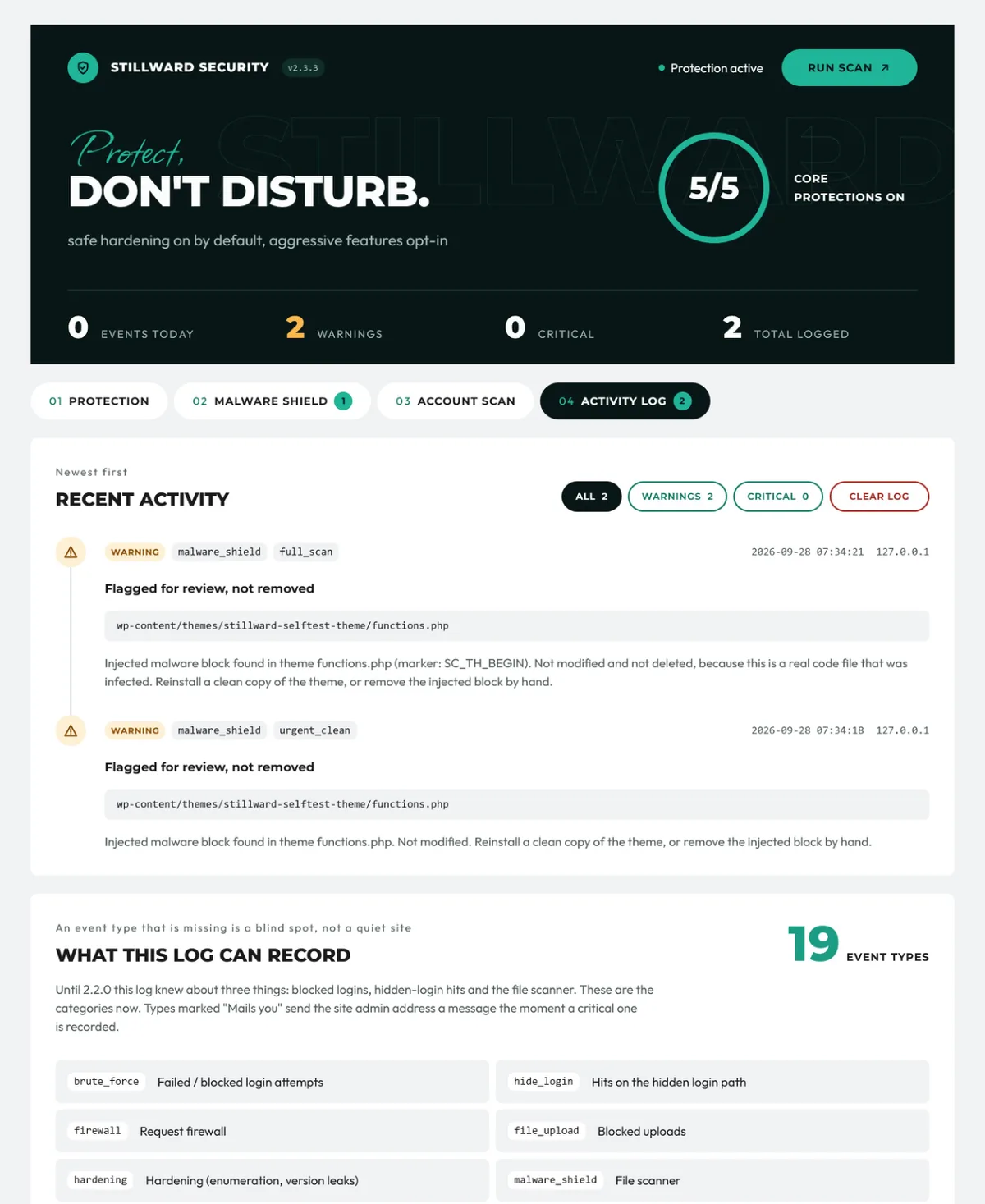
These are screens from version 2.3.3. Open any of them to see it full size.
On from the moment you activate it
- Security headers: X-Frame-Options, X-Content-Type-Options, Referrer-Policy and Permissions-Policy.
- WordPress hardening: hides the WordPress version, shows generic login errors, disables the built-in file editor and removes details that leak from the page head.
- No username fishing: blocks author-ID probes and the public list of users in the REST API.
- Login protection: locks out an IP address after repeated failed logins.
- Upload protection: blocks executable uploads and stops PHP from running in the uploads folder. Normal media and documents still upload.
Off until you switch it on
- Disable XML-RPC
- HSTS header
- Content-Security-Policy
- Strict file-type whitelist for uploads
- A custom, hidden login address
- Request firewall for SQL injection, cross-site scripting and path traversal. It only reads requests and starts in log-only mode.
- Automatic cleaning for the Malware Shield
Malware Shield
The Malware Shield targets one specific infection that keeps restoring itself after a normal cleanup: fake drop-in files, malicious must-use plugins, a block injected into a theme's functions.php, and payloads hidden in options and scheduled tasks. "Scan only" never touches a file, so you can read the findings first. With cleaning on, it removes a file only when three checks all pass: the exact malware marker, a known drop location, and no protected path. Everything it removes is kept in quarantine, where you can download it again. Real files that have been infected are reported to you, not deleted, and wp-config.php is never deleted.
Account Scan: every site on the hosting account
This kind of malware spreads to every WordPress site under the same hosting user, and the infected sites write it back into the ones you have already cleaned. Cleaning one site at a time never finishes. Account Scan looks at all of them at once and gives you a report you can download. It is read-only: it never deletes anything, never touches another site's database, and never reads the passwords in another site's wp-config.php.
Database audit
Some break-ins change no files at all. The database audit looks for hidden options, administrator accounts written directly into the database, and content owned by users that do not exist. It changes nothing on its own. When you confirm an administrator account is not yours, you can demote and lock it from the same screen.
An activity log, and alerts that don't flood your inbox
The activity log records 19 kinds of event, including blocked logins, blocked uploads, a new or promoted administrator, code stored in the database, an unexpected file in the site root and a changed robots.txt or sitemap. Critical findings are emailed, at most once a day for each finding. Routine lockouts and firewall blocks stay in the log.
What a plugin cannot do for you
The plugin says this on its own screen, and we agree with it: removing the infection does not take away the attacker's access. If your site was infected, these five steps are yours.
- Restart PHP. The malware can sit in PHP's compiled-code cache, so deleting files is not enough. On shared hosting, switch the PHP version in the control panel and switch it back.
- Change every password: hosting control panel, FTP or SFTP, SSH, the database user, and every WordPress administrator.
- Clean every site on the hosting account at the same time.
- Delete the administrator accounts that are not yours. The plugin lists them and never deletes them for you, in case one is a real colleague.
- Update or remove the way they got in. An outdated plugin is the usual entry point.
Details
| Current version | 2.3.3 |
|---|---|
| Needs WordPress | 5.0 or newer |
| Needs PHP | 7.2 or newer |
| Multisite | Supported |
| Price | Free, open source, on WordPress.org |
| Developer | Adnan Ali, founder of Digital Ranker |
See Stillward Security on WordPress.org, where you can install it, read the full changelog and ask for support.
If your site is already hacked
If your site is redirecting visitors, showing spam in Google or sending warnings from your host, start with our guides on why a WordPress site keeps getting hacked and the Japanese keyword hack. If you would rather hand it over, send us a message and we will look at it with you.
Common questions
Will Stillward Security break my site?
It is built not to. Everything switched on at install is non-breaking, and any feature that changes how the site behaves stays off until you turn it on yourself.
The Malware Shield removes files. How do I know it will not remove mine?
A file is removed only when three checks all pass: an exact malware marker, a known drop location, and no protected path. Removed files are kept in quarantine so you can download them again, infected real files are reported instead of deleted, and wp-config.php is never deleted.
Does the firewall change my form data?
No. The request firewall only reads requests. It never edits, strips or re-encodes what a visitor submits, and it starts in log-only mode.
Should I disable XML-RPC?
Only if nothing you use depends on it, such as Jetpack, the WordPress mobile app or a remote publishing service. That is why the option is off by default.
Does the plugin send my data anywhere?
It contacts one service: the WordPress.org API, to fetch the official checksum list for your WordPress version. It sends only the version number and locale. There is no telemetry, analytics or registration.
What happens when I delete the plugin?
Its options, logs, quarantine tables and scheduled tasks are removed. Accounts that you demoted with the account scanner stay demoted.